

AI Seller Lead Intake: Capture Property Details, Selling Timeline & Listing Appointment Intent
Peak Demand builds Voice AI seller-intake workflows that turn inbound homeowner and property-owner calls into structured context for the agent — without forcing every seller through the same generic script.
Capture the property, location and client-approved details the agent needs before follow-up.
Record caller-stated timing, current situation and the reason the seller contacted the team.
Move the inquiry into the approved consultation, valuation request, callback, routing or review path.
A seller lead is more than a name, number, and request for a callback.
A useful seller intake should tell the agent which property is involved, what the caller has shared about it, when they may want to sell, what prompted the inquiry, whether they want a listing consultation or valuation conversation, and what next step they are asking for.
- Capture property location and identifying details in the terminology the real-estate team actually uses.
- Collect approved property context such as type, bedrooms, bathrooms, occupancy, parking or other relevant fields.
- Record caller-stated selling timing without inventing urgency, motivation or readiness.
- Capture valuation, listing-consultation, callback or information intent without independently giving pricing advice.
- Route the inquiry using the brokerage's property, office, territory, agent or lead-ownership rules.
- Keep pricing strategy, negotiation, representation, legal interpretation, tax and other judgment-based work with the appropriate professional.
The goal is not to pressure the caller into listing. It is to capture the right approved information, preserve what the seller actually said, and create a clear next responsibility.
Collect the property and seller context that changes the next step.
The exact questions should reflect the brokerage, team or agent. A homeowner exploring a possible sale may need a different path than an owner requesting a listing appointment, a landlord selling an investment property, a returning lead or an existing client.
Property location
Address, unit, community, development, postal area or another client-defined property identifier.
Property type
House, condo, townhouse, acreage, investment property, commercial property or another configured category.
Property details
Bedrooms, bathrooms, lot or unit context, parking, occupancy and other approved details the team wants captured.
Selling timeline
Caller-stated timing for exploring options, preparing to sell, listing, meeting an agent or receiving a callback.
Current situation
Approved context such as owner-occupied, tenanted, vacant, already listed, relocating or another caller-stated circumstance.
Requested next step
Listing consultation, valuation conversation, information request, agent callback, live transfer or another configured outcome.
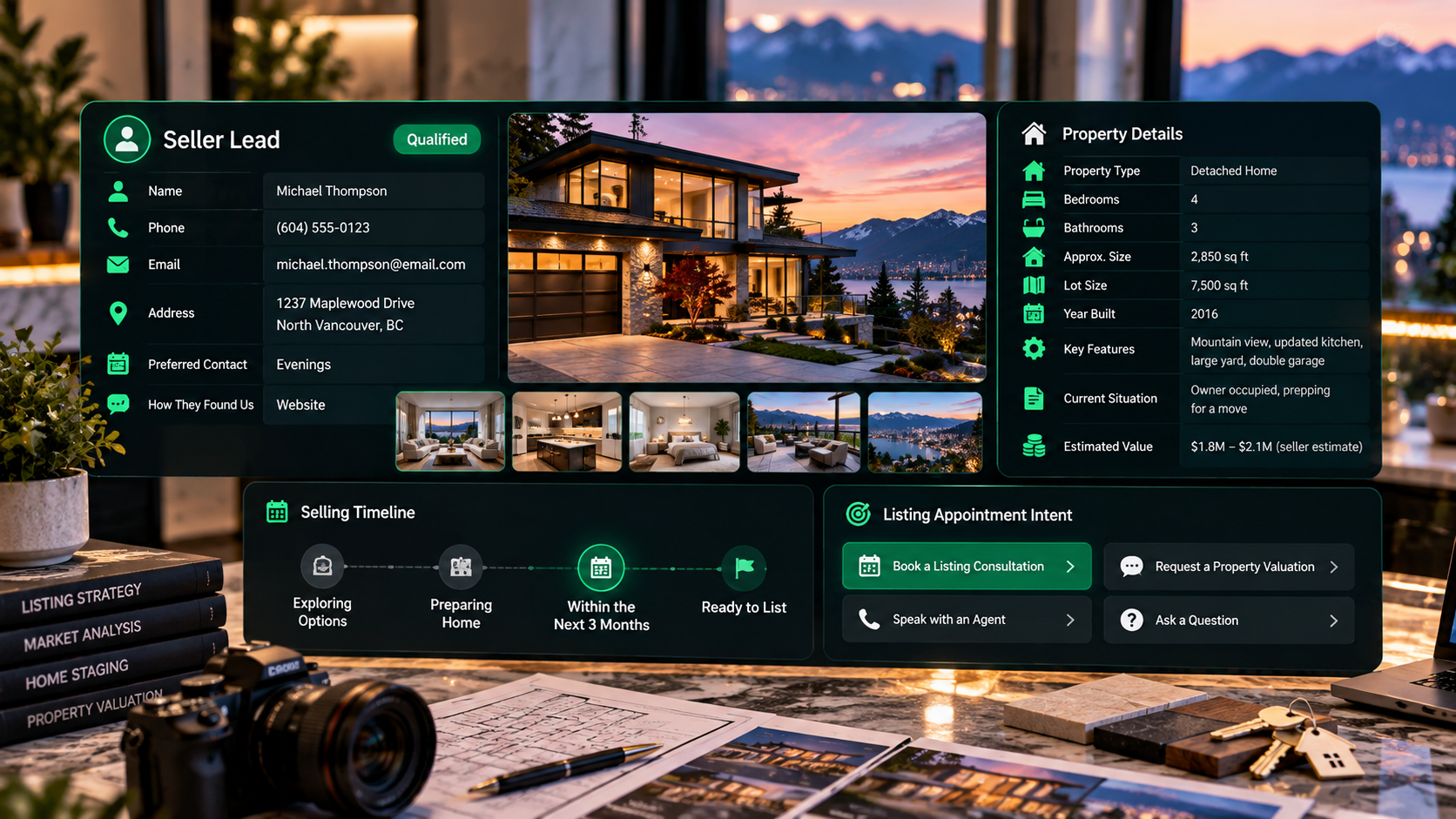
Seller context should help the agent prepare — without turning intake into an automated valuation.
Voice AI can capture the operational details that shape the follow-up. The team decides which property fields matter, which questions are optional, when the conversation should branch, and when pricing, listing strategy or another judgment-based topic should move to a human.
Property identity
Capture the property address, unit, development or other approved identifier so the inquiry is attached to the right asset.
Current status
Record caller-stated context such as occupancy, whether the property is already listed, or another status the team uses operationally.
Selling timeline
Capture when the caller says they may want to sell or speak with an agent without assigning a readiness score the caller did not provide.
Reason for inquiry
Where the client wants it, record the seller's own stated reason for reaching out without interpreting motive or giving strategic advice.
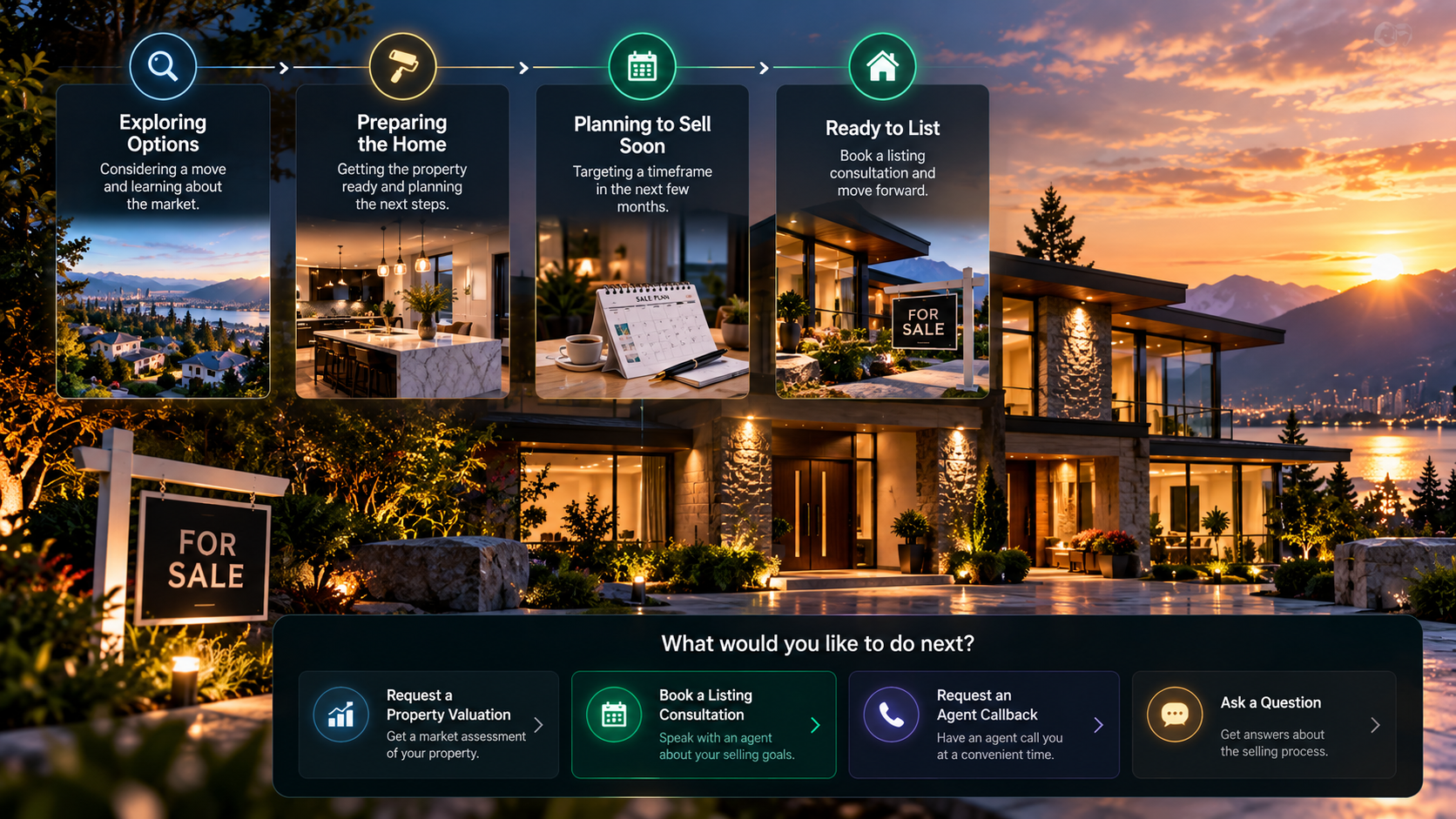
The intake should finish with a next action — not a seller lead sitting in a queue.
Once the seller's property context and timing are understood, the workflow can create the client-approved next step. That may be a listing consultation, valuation request, callback, live transfer, CRM task, notification or human-review path.
Listing consultation
Move the caller into the authorized listing-appointment workflow when they want to meet with an agent about selling.
Valuation request
Capture the request and property context, then route it to the professional or approved process responsible for valuation or pricing conversations.
Agent callback
Create a structured callback request with the seller and property context already attached so the agent does not start from zero.
Information request
Answer only from approved information where supported, or create the correct agent follow-up when the seller needs more detail.
Live transfer
Transfer the caller when an agent or team is available and the client's rules specify that the call should be handled live.
Human review
Stop the automated path when the inquiry is ambiguous, sensitive, unsupported or dependent on professional judgment.
The AI can capture what the seller wants to do and trigger the configured workflow. The real-estate professional retains control over valuation, pricing, listing strategy, negotiation and representation.
When the listing agent takes over, the property context should already be there.
Instead of forwarding a raw voicemail, the workflow can create a structured seller record and tell the agent which property is involved, what the seller shared, what timing was stated, what next step was requested, what action was already completed and why human follow-up is needed.
Structured seller record
Save approved property fields, notes, tags, source, timeline, consultation intent and next-step status.
Agent or team ownership
Assign or route the inquiry using the client's property location, territory, office, language, lead-source or ownership rules.
Agent notification
Send the relevant seller context and current workflow status when the agent needs to act.
Human handoff
Transfer or create review when the caller asks for the agent, the workflow is uncertain, a system action fails, or the topic requires judgment.
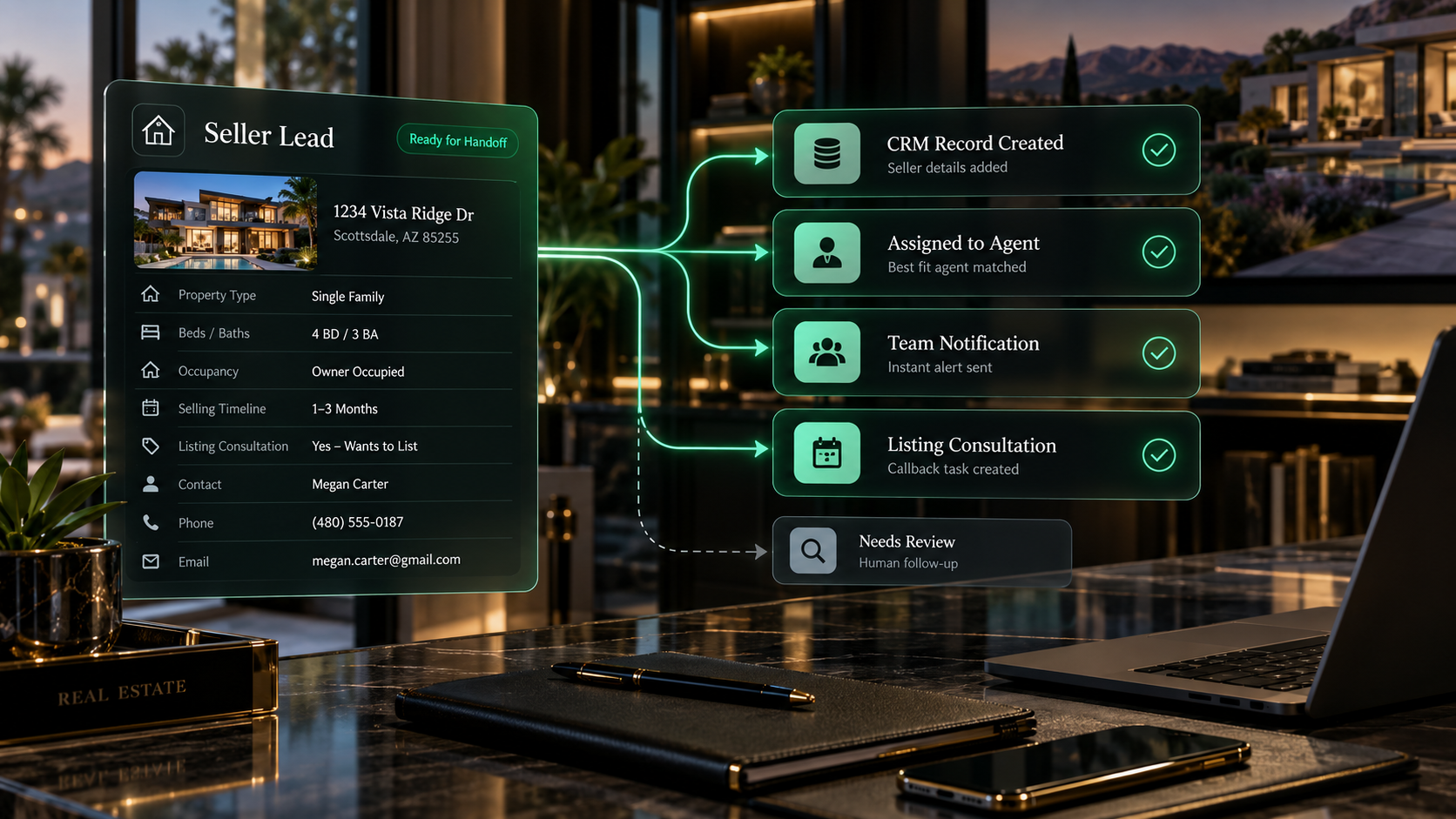
Seller intake is most useful when the structured context reaches the systems the team already works from.
Where supported and authorized, Peak Demand middleware can connect the Voice AI layer to CRMs, lead platforms, calendars, property data, notifications, telephony and custom workflows while enforcing client-defined validation and fallback rules.
Structured seller fields
Write the exact fields the team wants for property details, current situation, selling timeline, listing intent and ownership.
Tasks and follow-up
Create callback, listing-consultation, valuation-request, information-request or review tasks when the configured workflow reaches that outcome.
Validation
Check required fields, ownership, availability and successful system writes before telling the caller an action was completed.
Fallback
If access or a downstream action fails, use a defined review or callback path instead of pretending the task succeeded.
Seller-intake automation should organize the opportunity — not make pricing, representation or negotiation decisions.
The Voice AI can capture approved facts, follow client-defined branches, complete permitted administrative actions and route exceptions. Real-estate professionals remain responsible for valuation, pricing strategy, listing advice, representation, negotiation, legal interpretation, tax guidance and other judgment-based work.
Your seller-intake flow should look like your real-estate business — not a generic lead form.
Peak Demand maps the questions, branches, property fields, territory rules, calendars, agent ownership, connected actions, fallback logic and human handoff around the client's actual operating model.
Custom questions
Ask the seller and property fields that actually matter for your market, property types, team structure and follow-up process.
Custom branching
Change the next question or action based on property location, type, timeline, current status, consultation intent or earlier answers.
Custom ownership
Route by agent, team, territory, office, language, property, lead source or another field used by the real-estate operation.
Custom actions + handoff
Define exactly when the AI can write data, book, request, notify, transfer or stop for human review.
Questions real-estate teams ask about seller intake by phone.
These answers focus on structured seller and property context, custom questions, listing-appointment intent, CRM actions, routing, professional boundaries and human escalation.
What is AI seller lead intake?
What information can the AI collect from a seller call?
Can the AI capture the property address?
Can the AI capture property type and basic property details?
Can the AI capture the seller's timeline?
Can the AI ask why the owner is considering selling?
Can the AI capture a valuation or pricing request?
Can the AI book a listing consultation?
Can the AI route the seller to the right agent?
Can seller intake update a CRM or lead platform?
Can the workflow distinguish a new seller lead from an existing client?
Can seller-intake questions change based on earlier answers?
Can AI seller intake work after hours?
Can the workflow support multiple offices or territories?
Can the AI tell a seller what their home is worth?
Can the AI discuss commission or listing terms?
What happens if the seller asks a legal, tax, mortgage or tenancy question?
What happens if the seller does not know a property detail?
Can the brokerage choose which seller-intake fields are required?
How is seller lead intake different from lead qualification?
Can the AI handle an immediate listing-appointment request?
Can the AI transfer a seller call live?
Does AI seller lead intake replace real-estate agents?
Can the AI send the agent a structured seller summary?
What can happen after seller intake is complete?
Turn seller calls into structured property context your agents can actually use.
Map the property fields, selling timeline, listing-consultation intent, routing, systems and human-review points that make your seller-intake process unique.
Seller types → property fields → current status → selling timeline → listing / valuation intent → agent / office ownership → connected actions → fallback → human handoff.